Perfect Your Swing Anytime
Accurate Feedback Built for Indoor Golf
Better Golf Starts With Better Information
At Swing House Golf Sims, all three of our private golf bays feature Trackman iO, giving you access to detailed information about every swing.
Whether you're trying to hit your driver farther, straighten out a slice, improve your iron consistency, or dial in your wedge distances, Trackman helps you understand what's actually happening when you hit the ball. But what do all those numbers mean?
We've put together this guide to explain the 23 ball and club data points available with Trackman iO, what they measure, and why they matter to your game.
Ball Flight Data
Ball data tells you what happens after the club strikes the ball. These measurements help explain how far your shots travel, how high they fly, and why they curve.
Ball Speed: How fast the ball leaves the clubface, measured in mph. Higher ball speed generally means greater distance.
Launch Angle: The vertical angle at which the ball takes off. Helps determine how high and far your shot travels.
Launch Direction: The initial horizontal direction of the ball relative to your target. Shows whether your shot starts left, right, or straight.
Spin Rate: How quickly the ball spins, measured in revolutions per minute (RPM). Affects distance, trajectory, and stopping power.
Spin Axis: The tilt of the ball's spin axis. Helps explain why shots curve left or right.
Hang Time: How long the ball remains in the air before landing.
Height (Apex): The maximum height your ball reaches during its flight.
Curve: How far the ball moves sideways from its initial launch direction during flight.
Landing Angle: The angle at which the ball descends toward the ground. Steeper landing angles generally help shots stop faster.
Carry Distance: How far the ball travels through the air before landing, without counting roll.
Side: How far left or right of the target line the ball lands.
Total Distance: The estimated distance the ball travels, including carry and rollout.
Side Total: How far left or right of the target line the ball finishes after rolling.
Smash Factor: Ball speed divided by club speed. Helps show how efficiently your swing transfers speed to the ball.
Club Data
While ball data tells you what happened, club data helps explain why.
Trackman iO measures how your club approaches the ball, where the face is pointing, and where contact occurs. These numbers are especially useful for improving consistency and diagnosing common swing problems.
Club Speed: How fast the clubhead is moving immediately before impact, measured in mph. A major factor in distance potential.
Face Angle: The direction the clubface points at impact relative to the target. An open face points right and a closed face points left for a right-handed golfer.
Club Path: The horizontal direction the clubhead travels through impact. Helps identify an inside-out or outside-in swing.
Face to Path: The difference between face angle and club path. One of the most useful measurements for understanding hooks, slices, draws, and fades.
Impact Height: How high or low on the clubface the ball makes contact. Helps identify thin, high, or centered strikes.
Impact Offset: How far toward the heel or toe the ball contacts the clubface. Helps identify mishits and improve consistency.
Dynamic Loft: The actual loft presented by the clubface at impact, which may differ from the loft printed on your club.
Spin Loft: The three-dimensional difference between the clubface orientation and the clubhead's direction of travel at impact. Influences spin and energy transfer.
Attack Angle: Whether the clubhead is moving upward or downward at impact. Particularly important for optimizing driver and iron shots.
Which Trackman Numbers Should You Pay Attention To?
You don't need to study every measurement to benefit from Trackman. Depending on what you're working on, a handful of numbers can make a big difference.
Want to hit your driver farther?
Start with ball speed, club speed, smash factor, launch angle, spin rate, and attack angle. Together, these help you understand how effectively you're generating distance.
Trying to fix a slice or hook?
Focus on club path, face angle, face to path, and impact offset. These numbers help identify what causes the ball to curve.
Want more consistent iron shots?
Watch carry distance, attack angle, dynamic loft, impact height, and impact offset. Consistency in these numbers often leads to more predictable shots.
Working on wedges and distance control?
Pay attention to carry distance, spin rate, launch angle, and landing angle. These measurements help you develop reliable distances for your scoring clubs.
Understanding Your Numbers in Practice
Here are a few examples of how Trackman data can help you understand your shots.
Example 1: Your driver keeps slicing
Your club path is 4° left, and your face angle is 2° right.
That gives you a face-to-path measurement of +6°. For a right-handed golfer, this significant open-face relationship tends to produce a shot that curves right.
Example 2: You're losing distance despite swinging fast
Your club speed is 100 mph, and your ball speed is 135 mph.
Your smash factor is 1.35. Improving the quality of contact could increase ball speed and distance without requiring a faster swing.
Example 3: Your iron distances are inconsistent
You hit five shots with the same iron, but the carry distances vary significantly.
Comparing attack angle, dynamic loft, ball speed, and impact location can help you understand why certain shots travel farther than others.
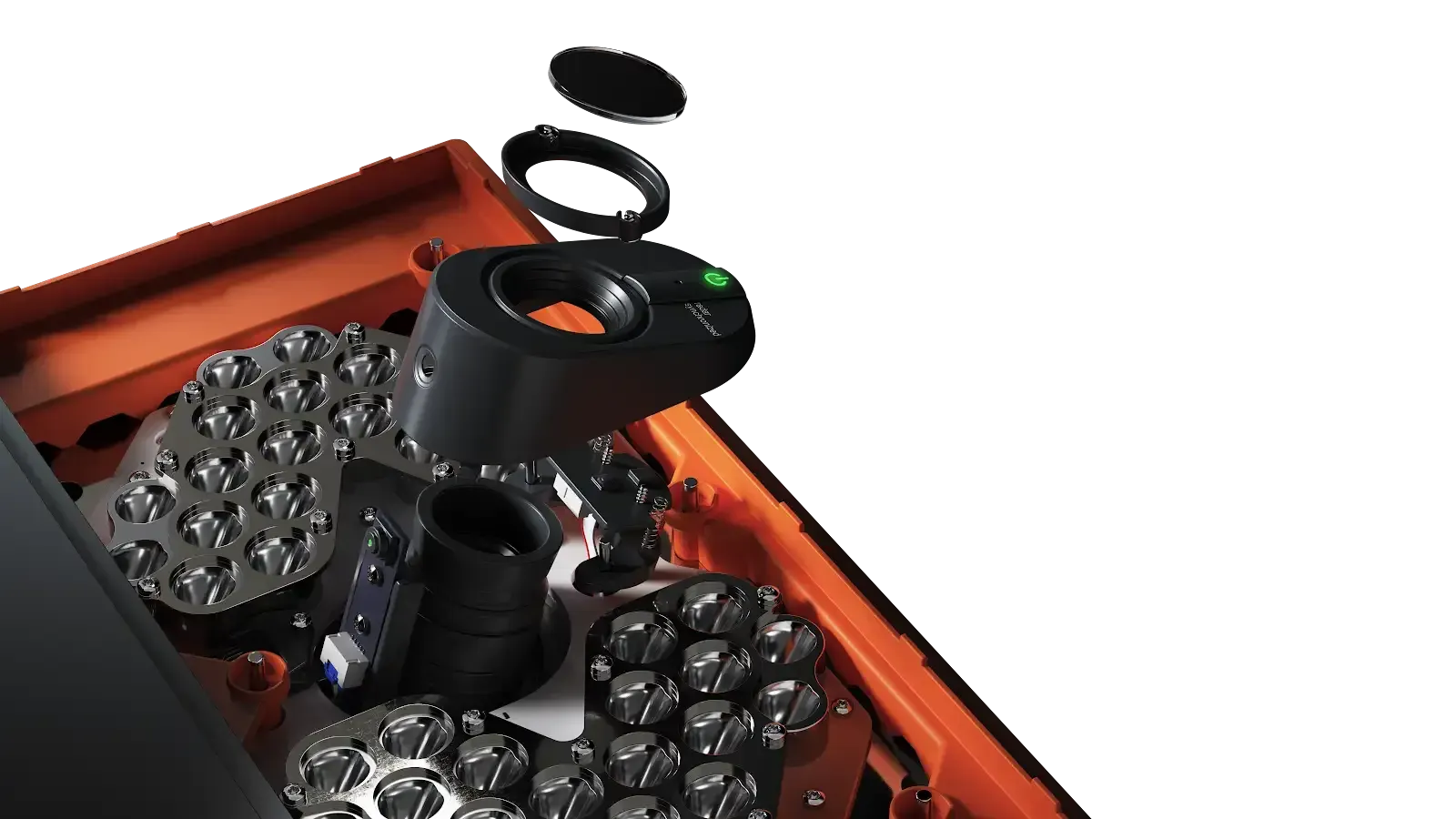
Every Swing House bay is powered by Trackman iO, technology designed specifically for indoor golf. Trackman combines advanced tracking, impact video and realistic ball-flight modeling to provide fast feedback after every shot.
1. Optically Enhanced Radar Tracking (OERT)
- Best of both worlds: The iO combines a high-speed camera (up to 4,600 frames per second) with a sophisticated 24 GHz radar system.
- Unmatched accuracy indoors: This hybrid technology captures club and ball data with extreme precision. While some camera-based systems can struggle with indoor spin rates and radar can be influenced by space, the iO's dual-technology approach ensures reliable, tour-level performance in a controlled indoor environment.
2. Precise ball and club data
- The iO delivers a comprehensive set of ball and club data points in real time to help you understand and improve your swing.
- Key ball data: It precisely measures ball speed, launch angle, launch direction, spin rate, spin axis, and carry distance.
- Essential club data: Depending on the software package, it also provides key club metrics, such as club speed, face angle, club path, and impact location, giving you detailed insights into your swing mechanics.
3. Immediate, actionable feedback
- Every time you swing, the iO provides instant feedback with visual and statistical analysis.
- Impact video: The overhead camera delivers a slow-motion replay of the club connecting with the ball. This "seeing is believing" feature is a powerful training tool for both players and coaches.
- Fast data delivery: Your ball flight is rendered in just 0.7 seconds, a significant speed advantage over other units that can take more than two seconds.
4. Optimized for indoor play
- The "iO" in Trackman iO stands for "Indoor Optimized," a designation earned through a number of technical advancements.
- Ceiling-mounted design: The unit's sleek, compact form factor is mounted on the ceiling, freeing up valuable floor space and eliminating the risk of misaligning or stepping on the device.
- No special equipment needed: The iO's integrated infrared lighting and advanced tracking algorithms mean you can use standard golf balls without having to apply special markings, unlike some other systems.
- Minimal space requirements: The system does not require any specific distance in front of or behind the ball, making it the most flexible and space-efficient option for a simulator setup.
5. Advanced training tools
- Beyond just hitting balls, Trackman offers a full suite of software for serious game improvement.
- Performance Center: Utilize this tool for "strokes gained" analysis that benchmarks your performance against PGA Tour professionals, showing you exactly where to focus your practice.
- AI Motion Analysis: This advanced feature automatically detects and highlights key swing checkpoints, offering deep insights without manual setup or calibration.
What to Expect When You Book
When you book a session at Swing House, you’re not just reserving a bay; you’re stepping into a world of advanced golfing technology. Our Trackman Golf Simulator offers precision and excitement for all skill levels. Here’s what you can look forward to:
- Access to over 570+ virtual courses
- Real-time feedback on your swing
- 24/7 availability for your convenience
- Seamless booking process online
- Comfortable, private bays for uninterrupted play
Contact us now to secure your spot!